LOCAL MEMORY FOR CODING AGENTS

Your agent should not start from zero.

Elefante carries forward the decisions, preferences, and context your coding agent needs—on your machine and under your control.

Local-first by design. The Elefante store stays on your machine.

THE CONTINUITY LAYER

Remember what matters. Understand why.

Context windows close. Teams switch tools. Providers change. Elefante gives compatible agents one local memory authority so important working knowledge does not disappear with the session.

Keep the decisions that matter

A new session begins with the constraints, preferences, and working context that should still apply.

See why a memory returned

Inspect the source and decision trail behind retrieved context—not a black-box summary.

Keep memory on your machine

Review what is stored, back it up, or remove it when the work is done.

PRODUCT PROOF

See what shapes the next answer.

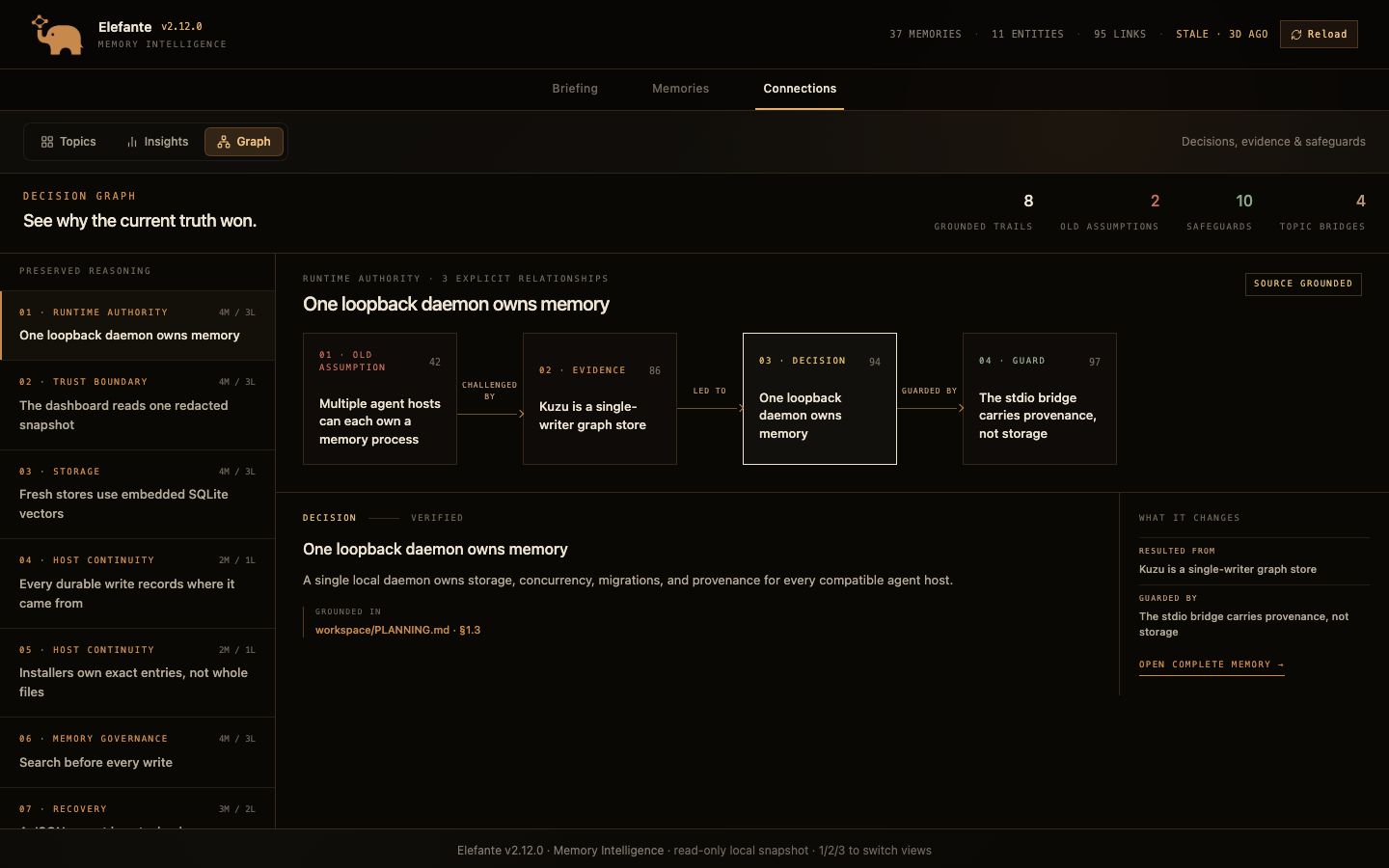
The read-only dashboard gives you a clear trail from context to the decision it supports. Review what changed, where it came from, and what should carry forward.

Understand the architecture
Elefante v2.12 Decision Graph showing a deterministic source-grounded path from an old assumption through evidence to a current decision and safeguard
Elefante v2.12 Decision Graph · illustrative demo data

VERIFIED CONNECTIONS

Connect the tools you already use.

The v2.12.2 installer detects and configures the hosts listed below. For another MCP-compatible client, follow the manual setup guide.

VS CodeInstaller-managed MCP configuration
CursorInstaller-managed MCP configuration
KiroInstaller-managed MCP configuration
Gemini CLIInstaller-managed MCP configuration
Claude CodeInstaller-managed MCP configuration
CodexInstaller-managed MCP configuration
OpenClawInstaller-managed MCP configuration

PUBLISHED RELEASE · v2.12.2

Get started in a few minutes.

Published releasev2.12.2, ready to download

Includes checksums so you can verify the file before opening it.

Apple silicon and Intel

macOS

Extract elefante-installer-macOS.zip, then double-click Install Elefante.command. If macOS asks, Control-click it, choose Open, then choose Open again. Administrator access and Terminal commands are not required.

Download
Windows 10 or newer

Windows

Extract elefante-installer-Windows.zip, then double-click Install Elefante.bat. The installer guides the rest.

Download
Desktop Linux

Linux

Extract elefante-installer-Linux.zip, then make install.sh executable and run it from a terminal. The installer guides the rest.

Download
Requires Python 3.11–3.13 and internet access for first setupInstalls only for your user accountFree for personal projects. For industrial deployment, commercial support, integration, or a competitive offering, contact us.Release notesSource repository

KEEP THE THREAD

Give the next session a place to begin.